

Reducing bounce rate and improving return on investment are two of the most pressing goals for digital teams today. A high bounce rate often signals friction, confusion, or unmet expectations, while low ROI points to inefficient user journeys and wasted acquisition spend. Modern UX redesign is no longer about guesswork or aesthetics alone—it is about leveraging data to create measurable improvements. By applying structured, data-driven tactics, organizations can transform user experiences into revenue-generating engines.
TL;DR: Data-driven UX redesign focuses on analyzing real user behavior to identify friction points that increase bounce rates and reduce conversions. By leveraging analytics, heatmaps, A/B testing, and personalization strategies, businesses can systematically improve engagement and ROI. Structured testing and performance measurement ensure that changes are backed by evidence rather than assumptions. The result is a user experience that both satisfies visitors and drives measurable financial returns.
Below are five powerful, data-driven UX redesign tactics that help reduce bounce rate and improve ROI.
1. Analyze Behavioral Data to Identify Friction Points
The first step in any UX redesign effort is understanding why users leave. Behavioral analytics platforms provide insights into user journeys, exit pages, session duration, and scroll depth. Instead of redesigning blindly, teams can focus on the most problematic areas.
Key metrics to evaluate:
- Bounce rate by landing page
- Time on page
- Scroll depth
- Exit rate
- Conversion funnels
Heatmaps and session recordings reveal where users hesitate or drop off. If visitors fail to scroll past the hero section, the messaging might be unclear. If users abandon a checkout form, excessive fields or slow load times may be to blame.
Image not found in postmetaBy pinpointing friction points, UX teams can prioritize redesign efforts that will have the greatest effect. Rather than redesigning an entire website, focusing on high-traffic pages with high bounce rates often yields faster ROI gains.
2. Redesign Landing Pages Based on User Intent Data
Not all users arrive with the same intent. Some are researching, others are comparing options, and some are ready to purchase. Data segmentation allows teams to tailor landing pages for specific user groups.
Effective segmentation sources include:
- Traffic source (organic, paid, social, referral)
- Device type (mobile, desktop, tablet)
- New vs. returning users
- Geographic location
For example, paid search visitors who click on a product-focused ad expect immediate product details—not a generic homepage. Aligning landing page content with traffic intent reduces confusion and, consequently, bounce rates.
Dynamic content personalization further strengthens engagement. Personalized headlines, localized offers, or adaptive calls to action help users feel understood. Over time, these small adjustments compound into measurable improvements in conversion rates and revenue per visitor.
Organizations that continuously monitor segmentation data can refine layouts, messaging, and calls to action according to evolving user behavior.
3. Simplify Navigation Using Data-Backed IA Improvements
Complex navigation structures often drive users away. Data from click tracking and user flow reports can reveal confusing menu paths or underperforming sections.

Steps for navigation optimization:
- Review top click paths to understand common journeys.
- Eliminate redundant menu items that discourage clarity.
- Group content logically based on user search patterns.
- Implement predictive search to accelerate discovery.
Card sorting studies and tree testing, backed by quantitative data, can help structure information architecture more intuitively. When visitors find what they need within seconds, bounce rate naturally decreases.
Clear navigation also improves internal linking depth, increasing pages per session—a positive engagement metric correlated with improved ROI.
4. Use A/B Testing to Validate UX Changes
A/B testing transforms UX redesign from opinion-driven decisions into controlled experiments. Instead of debating which design “looks better,” teams can measure which version performs better.
Common A/B testing targets:
- Headline variations
- Call-to-action button placement
- Color schemes
- Form field length
- Page layouts
Even subtle changes—like adjusting button wording from “Submit” to “Get Started”—can meaningfully increase conversions.
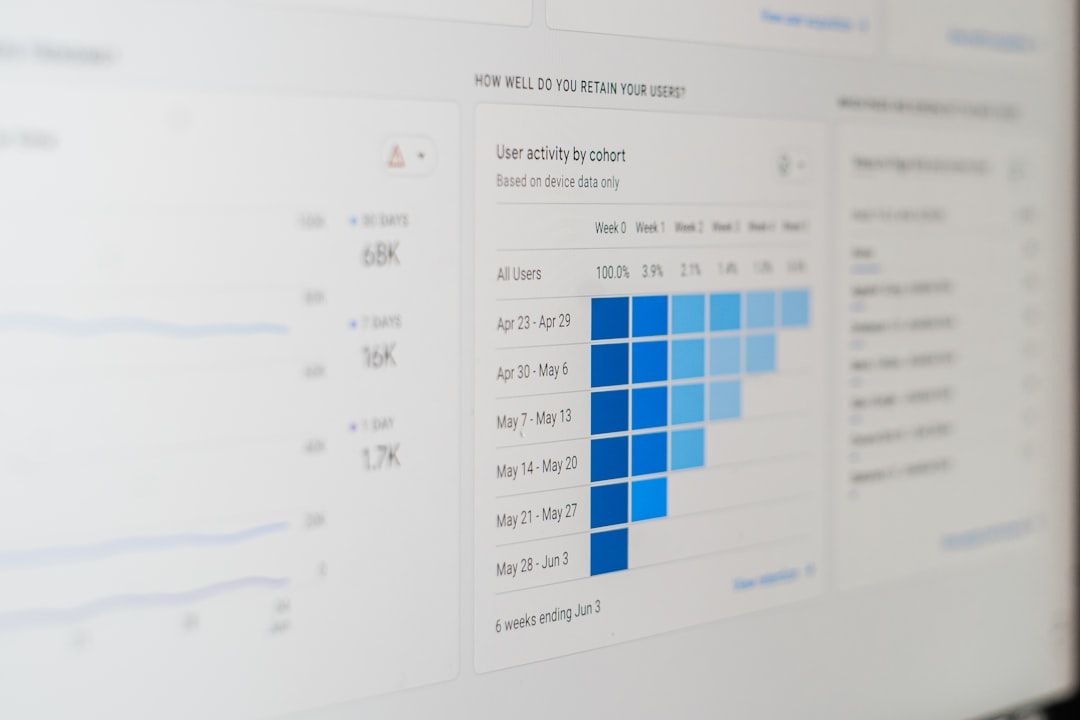
To maximize results:
- Test one major variable at a time.
- Ensure sufficient sample size for statistical significance.
- Run experiments long enough to capture behavioral patterns.
By validating redesign decisions through structured experimentation, organizations lower risk and drive measurable performance improvements.
Popular Tools for Data-Driven UX Testing
| Tool | Primary Function | Best For | Strength |
|---|---|---|---|
| Google Analytics | Behavioral data tracking | Traffic and funnel analysis | Comprehensive reporting |
| Hotjar | Heatmaps and recordings | UX friction analysis | Visual behavior insights |
| Optimizely | A/B testing | Experimentation at scale | Advanced testing controls |
| VWO | Conversion optimization | Mid sized businesses | Easy experiment creation |
Using a combination of analytics, behavioral tracking, and experimentation platforms creates a holistic optimization loop that continually improves ROI.
5. Optimize Page Speed and Mobile Experience with Performance Metrics
Page speed is directly tied to bounce rate. Data consistently shows that even a one-second delay in load time can significantly reduce conversions. Performance optimization is therefore both a technical and UX priority.
Core performance metrics to monitor:
- Largest Contentful Paint (LCP)
- First Input Delay (FID)
- Cumulative Layout Shift (CLS)
- Time to First Byte (TTFB)
Mobile responsiveness is equally crucial. With mobile traffic often exceeding desktop usage, poorly optimized mobile layouts can dramatically inflate bounce rates.
Data-driven improvements may include:
- Compressing images
- Reducing unnecessary scripts
- Implementing content delivery networks
- Designing mobile-first interfaces
Performance dashboards combined with user behavior metrics ensure that technical improvements translate into engagement and revenue gains.
Connecting UX Metrics to ROI
Reducing bounce rate is not an end goal—it is a pathway to improved financial performance. Data-driven UX aligns design efforts with measurable revenue metrics.
Key ROI indicators influenced by UX redesign:
- Conversion rate
- Customer acquisition cost
- Customer lifetime value
- Revenue per visitor
- Average order value
When friction declines, users progress further down the funnel. Improved engagement increases the likelihood of purchase, subscription, or inquiry. Over time, optimized user journeys reduce waste in marketing spend and amplify the return from traffic acquisition efforts.
The most successful organizations treat UX redesign as an ongoing process. By continuously analyzing data, testing hypotheses, and refining interfaces, they build digital experiences that evolve alongside user expectations.
Conclusion
Data-driven UX redesign is a strategic discipline that bridges design creativity with measurable business impact. By analyzing behavioral data, aligning content with user intent, simplifying navigation, validating improvements with A/B testing, and optimizing performance metrics, organizations can systematically reduce bounce rates and boost ROI.
Rather than relying on assumptions, high-performing teams allow user data to guide every decision. The result is not only a more intuitive and satisfying user experience but also a more profitable digital presence.
Frequently Asked Questions (FAQ)
1. What is a good bounce rate to aim for?
Bounce rates vary by industry, but generally 26–40% is considered excellent, while 41–55% is average. Context matters, as blog pages naturally have higher bounce rates than product or service pages.
2. How long does a UX redesign take to impact ROI?
Initial improvements can be seen within weeks if A/B testing is used effectively. However, sustained ROI improvements typically emerge over several months of continuous optimization.
3. Which metric should be prioritized first?
Start with high-traffic pages that have high bounce rates and low conversion rates. Improving these pages often produces the fastest ROI gains.
4. Are small UX changes really impactful?
Yes. Minor adjustments to headlines, forms, or CTA buttons can significantly increase engagement and conversions when validated through testing.
5. How often should UX performance be reviewed?
Performance metrics should be reviewed monthly, while A/B testing and experimentation should remain an ongoing process.
