

In today’s world of hardware tinkering, prototyping, and embedded system development, USB devices often serve as the critical communication link between a development platform and a computer or test system. However, not all USB connections are created equal. Makers frequently encounter situations where their development board won’t enumerate, cables deliver unreliable power, or peripherals mysteriously go offline. To avoid endless hours of frustration, having the right USB and peripheral debugging tools on hand is essential.
TLDR: Whether you’re troubleshooting a flaky USB connection or trying to determine if it’s the cable, the port, or the peripheral that’s the issue, using specialized USB and peripheral debugging tools can save countless hours. Tools like USB power testers, protocol analyzers, and smart USB cables help makers quickly pinpoint problems. This article walks through five top debugging utilities for eliminating guesswork when dealing with uncooperative USB devices. Equip yourself with these diagnostic tools to streamline testing and prevent peripheral headaches.
1. USB Power Meter / USB Multimeter
A USB power meter is often the first tool makers reach for when debugging power-related issues. These devices sit between the USB port and the peripheral, displaying critical information such as voltage, current, capacity, and sometimes even internal resistance. For example, a microcontroller board that resets intermittently may be drawing just a little more current than the port can deliver—and a power meter will tell you that instantly.
- Why It’s Useful: Verifies whether sufficient 5V power is being delivered to the device.
- Makes it Easy to Spot: Undervoltage conditions, poor-quality cables, and underpowered hubs.
- Popular Devices: USB Safety Tester, RD Tech UM25C, PortaPow USB Tester.
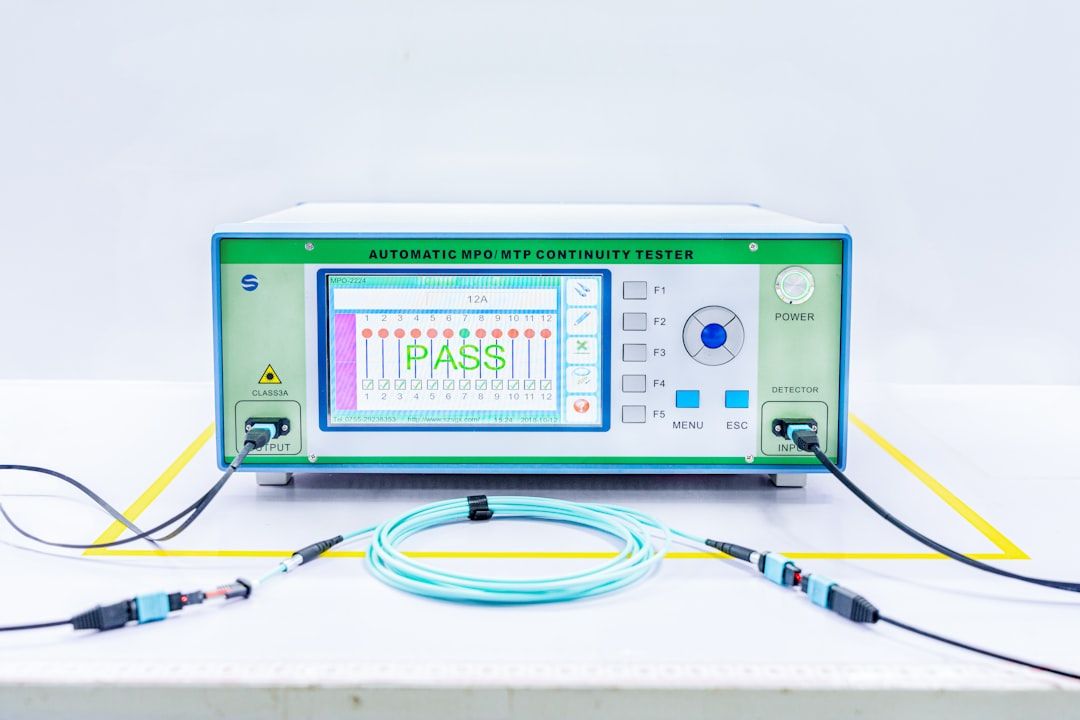
Some advanced models even log data over Bluetooth or USB, making them ideal for long-term power draw testing or battery-powered projects.
2. USB Protocol Analyzer / Sniffer
Not all USB failures are due to power—it’s often a communication problem. A USB protocol analyzer is a specialized tool that captures and decodes USB packet traffic between a host and device. This is indispensable when devices fail to enumerate or exhibit erratic behavior after being recognized.
- Why It’s Useful: Reveals the exact sequence of USB requests, responses, and errors.
- Makes it Easy to Spot: Enumeration failures, protocol violations, or malformed packets.
- Popular Devices: Beagle USB Protocol Analyzer by Total Phase, Ellisys USB Explorer, and open-source tools like USBPcap combined with Wireshark.
While professional protocol analyzers can cost hundreds, software-based options like USBlyzer, USBPcap, and Wireshark offer great insight with minimal investment—especially when paired with filter-capable USB hardware.
3. Smart USB Cables with E-Markers
Modern USB-C cables and connectors contain embedded electronics called E-Markers. These report the cable’s capabilities (power delivery, data rate, etc.) to the host and the device. Debugging USB-C issues without this knowledge is like flying blind. Smart USB cables or testers read and verify the advertised characteristics of the cable in use.
- Why It’s Useful: Quickly indicates whether a cable supports charging at high wattages or USB 3.x data rates.
- Makes it Easy to Spot: Incompatible or counterfeit cables with misleading labels.
- Popular Devices: Plugable USB-C Voltage and Amps Meter, Satechi USB-C Power Meter, and tools from ChargerLAB.
Recognizing bad cables early can prevent hours of wasted time—especially with laptops that depend on USB-C for both power and data.
4. Loopback Adapters and Testing Software
USB loopback testers simulate peripheral device behavior while staying entirely controllable by the host. When paired with loopback testing software, they allow developers and makers to verify the functionality of USB ports, drivers, and host-side circuitry.
- Why It’s Useful: Validates that the port or hub is outputting data and interpreting responses correctly.
- Makes it Easy to Spot: Driver misconfigurations, faulty hubs, or host controller issues.
- Popular Devices: StarTech Loopback Tester, Cypress USB Test Boards, and open-source designs using ATmega32U4 or RP2040.
This method is especially valuable in embedded development environments where the host is part of a custom system or test jig.
5. USB Cable Tester / Continuity Checker
Sometimes, the most obvious culprit is, in fact, the cable. USB cables are notorious for silent failures and flakiness. A USB cable tester can instantly identify continuity problems, open or shorted wires, or swapped data lines.
- Why It’s Useful: Immediate verification that the physical layer of the communication is intact.
- Makes it Easy to Spot: DIY mistakes, broken solder joints, or worn-out connectors.
- Popular Devices: Voisa USB Tester, Super USB Tester, Drok Cable Analyzer.
Some higher-end testers include LED indicators for every pin and support for multiple USB connector formats, including Type-A, Type-B, Mini, Micro, and USB-C.
How These Tools Work Together
A single debugging tool may solve the problem—but more often than not, multiple tools used in tandem will yield faster and more accurate diagnostics. For example, using a power meter alongside a protocol sniffer can help you identify whether a drop in voltage also coincides with a device enumeration failure. Similarly, using a USB continuity checker before testing complex behaviors ensures you’re not wasting time on bad cables.
Bonus Tip: Don’t Overlook Software Logs
Especially on Linux and macOS systems, checking dmesg, system logs, or running tools like lsusb can provide critical insight on connection events, enumeration attempts, and device descriptors—without needing any external hardware. This forms a complementary diagnostic layer that can save time when used alongside your hardware tools.
Conclusion
When it comes to debugging USB and peripheral issues, having the right utility for the job can dramatically reduce frustration and improve development flow. Whether you’re isolating power problems, checking data line integrity, or sniffing device communications, the above tools are key allies. They’re staples in the toolkit of every seasoned maker who’s averse to trial-and-error and values data-driven diagnostics.
FAQs
- Q: Can I use a basic multimeter instead of a USB power meter?
A: While a traditional multimeter can measure voltage, it doesn’t log or display current draw dynamically like a USB power meter, which is vital for troubleshooting dynamic USB behaviors. - Q: Are software analyzers like USBPcap as good as hardware sniffers?
A: They’re very useful for simpler problems and are budget-friendly. However, hardware analyzers can capture low-level handshakes and errors that host-side software cannot see. - Q: How do I know if a Type-C cable is good?
A: Using a smart USB-C tester can quickly reveal if the cable supports USB Power Delivery, high-speed data transfer, or is misreporting its capabilities. - Q: What’s the most common cause of USB device issues?
A: Faulty or underpowered cables, followed closely by power delivery problems or improper device descriptors. - Q: Do I need all five tools?
A: Not necessarily. Makers can start with a power meter and cable tester, then add protocol analysis toys as projects scale or become more complex.
