

Your Gmail account is more than just an inbox—it’s the digital key to your bank accounts, social media, cloud storage, online shopping, and even your work life. If someone gains access to it, they don’t just see your emails; they can reset your passwords, impersonate you, and potentially lock you out of your own digital world. The scary part? Most people don’t notice the warning signs until serious damage is done.
TL;DR: If your Gmail has been hacked, the warning signs often show up in subtle ways—like strange login alerts, password reset emails you didn’t request, missing messages, or unknown forwarding rules. Checking your account activity, security settings, and connected devices can help you catch an intruder early. Most users miss critical security checks hidden in Gmail’s settings. A few minutes of inspection can save you months of recovery stress.
1. You Receive Login Alerts From Unknown Locations
Google is remarkably good at detecting unusual activity. If you notice emails or phone notifications about sign-ins from unfamiliar locations or devices, don’t ignore them. Even if the login was denied, someone may already have your password.
What to check:
- Open Gmail and scroll to the bottom right corner.
- Click “Details” under “Last account activity.”
- Review recent sessions, including IP addresses and device types.
If you see devices or access times that don’t match your activity, that’s a red flag.
2. Password Reset Emails You Didn’t Request
Have you received messages like: “We received a request to reset your password” for accounts you didn’t try to access?
This can mean one of two things:
- Someone is attempting to break into your other accounts using your email address.
- They already have access to your Gmail and are preparing to take over additional accounts.
Security check most users miss: Open your Sent folder. If password reset requests were sent from your account without your knowledge, you may already be compromised.
3. Emails Are Missing or Marked as Read
If emails disappear or show as read before you open them, someone else could be accessing your inbox. Hackers often:
- Delete security alerts immediately
- Mark warning emails as read
- Archive messages to avoid detection
Check your:
- Trash folder
- Spam folder
- All Mail view
Look for login alerts, unusual activity notifications, or recently deleted messages.
4. Unknown Forwarding Addresses or Filters
This is one of the most overlooked checks—and one of the most dangerous. Hackers often create hidden email forwarding rules so they can monitor your communications even if you change your password.
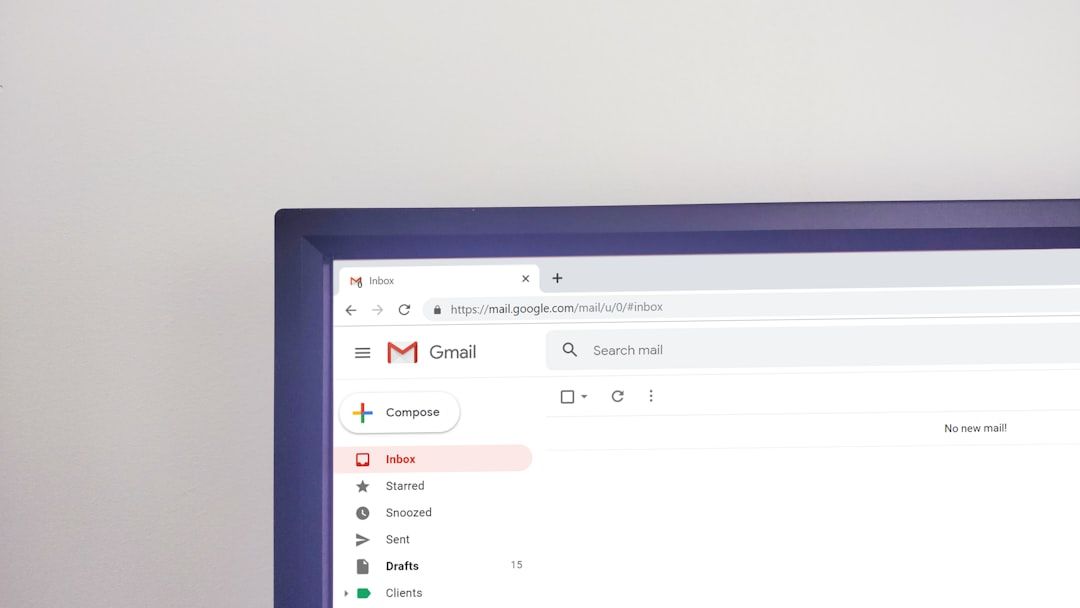
Here’s how to check:
- Click the gear icon in Gmail.
- Select “See all settings.”
- Go to Forwarding and POP/IMAP.
- Then check Filters and blocked addresses.
If you see unfamiliar forwarding emails or suspicious filters (like ones that automatically archive or delete security emails), remove them immediately.
This is one of the security steps 90% of users never check.
5. You’re Suddenly Logged Out of Your Account
If your password suddenly stops working, and you can’t log in, a hacker may have already changed your credentials.
Other warning signs include:
- Your recovery email or phone number has been changed.
- Two-factor authentication settings were modified.
- Account recovery information looks unfamiliar.
Critical check: Visit your Google Account Security page and review:
- Recovery email addresses
- Recovery phone numbers
- Recent security activity
This information is often altered first to prevent you from regaining access.
6. Suspicious Emails Sent From Your Account
Friends might ask: “Why did you send me this strange link?” If you didn’t send it, it’s likely a compromised account.
Hackers use hijacked Gmail accounts to:
- Spread phishing links
- Send malware attachments
- Launch scams using your trusted identity
Open your Sent Mail folder and review recent activity carefully. Even a few emails you don’t recognize are cause for immediate action.
7. Unrecognized Third-Party Apps Have Access
Your Gmail is often connected to dozens of websites and apps. If hackers gain access, they may authorize new apps to maintain control—even if you reset your password.
To review connected apps:
- Go to your Google Account.
- Select Security.
- Scroll to “Your connections to third-party apps & services.”
Remove anything you don’t recognize. Many users never review this list, making it an easy loophole for attackers.
8. You Notice Financial or Account Changes Elsewhere
Your Gmail is the master key to other services. If your social media accounts, bank logins, or shopping profiles show strange changes, your email may have been the original point of compromise.
Warning signs include:
- Unknown charges
- Password changes on other platforms
- New devices logged into your accounts
- Messages sent from your social profiles
If multiple accounts are being targeted at once, assume your Gmail has been exposed and act immediately.
Emergency Security Checklist
If you suspect your Gmail has been hacked, follow these steps immediately:
- Change your password (make it long and unique).
- Enable two-factor authentication (2FA) if it’s not already active.
- Check forwarding settings and filters.
- Review account recovery information.
- Remove suspicious third-party apps.
- Run a malware scan on your devices.
- Update passwords on important linked accounts (banking, social media, shopping).
Pro tip: If possible, generate app-specific passwords and use a password manager to prevent future risks.
Security Checks 90% of Users Miss
Here’s where most people fail to fully secure their accounts:
- Ignoring the “Last account activity” details.
- Not checking hidden email filters.
- Forgetting to review third-party app permissions.
- Leaving old recovery emails active.
- Reusing Gmail passwords on other sites.
These overlooked areas create persistent access points for attackers—even after a password reset.
How Hackers Typically Break Into Gmail
Understanding the attack methods helps you avoid future risks. The most common entry points include:
- Phishing emails that mimic Google login pages
- Data breaches where reused passwords are exposed
- Public Wi-Fi interception
- Malicious browser extensions
- Keylogging malware
The majority of Gmail hacks are not brute-force attacks—they’re the result of password reuse or successful phishing attempts.
How to Future-Proof Your Gmail Security
Prevention is dramatically easier than recovery. Consider implementing these long-term defensive measures:
- Use a password manager to generate unique passwords.
- Turn on Google’s Advanced Protection Program if you handle sensitive data.
- Enable 2FA using an authenticator app instead of SMS.
- Review your security activity monthly.
- Avoid clicking login links in emails—type the URL directly.
Set a calendar reminder once a month to review your account activity and connected apps. Five minutes of vigilance can prevent devastating consequences.
Final Thoughts
Your Gmail account is not just another login—it is the digital backbone of your online identity. The warning signs of a compromised account are often subtle: a strange login alert, an unexplained password reset, a hidden forwarding rule. Most users overlook the small details that reveal someone else is quietly watching.
Make it a habit to perform regular security checks. The earlier you detect suspicious activity, the easier it is to shut it down. In cybersecurity, awareness isn’t paranoia—it’s protection.
When it comes to Gmail security, assume nothing and verify everything.
